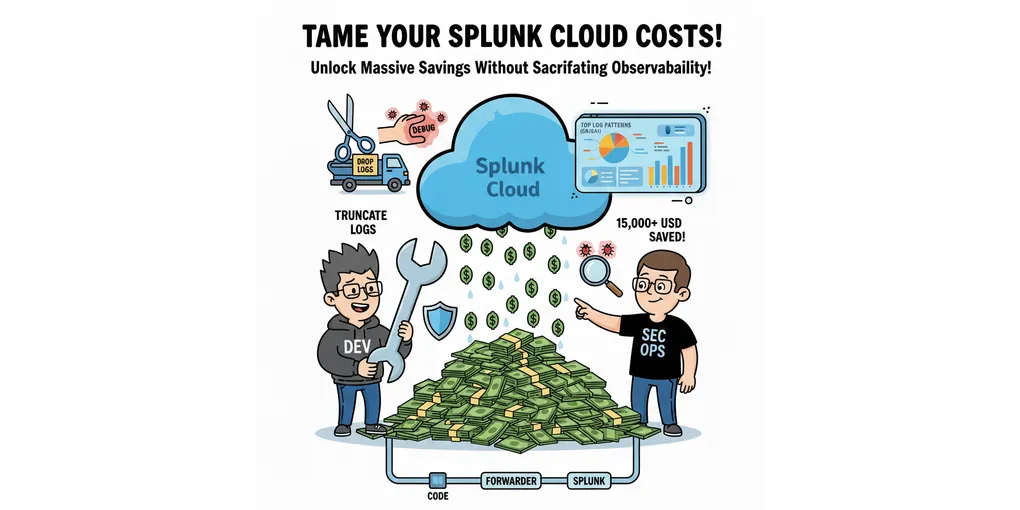
How to Reduce Splunk Cloud Costs Without Sacrificing Observability
In my previous post, I have explained why Splunk Cloud can cost so much. The take home message – most Splunk bills are not solely caused by traffic growth.
Despite being expensive, this does not mean that companies should stop using Splunk. I think Splunk delivers a lot of value to software and security engineers. It is hard to imagine having a productive work environment without Splunk.
Here’s the good news: you can often reduce Splunk Cloud costs without sacrificing observability, and without touching retention or limiting search usage. I am going to share a practical approach to reducing and controlling these costs.
The Key Idea: Make Log Ingestion Visible, Then Control It
The most important shift is this: you can’t control Splunk Cloud costs if you don’t know which log patterns are driving ingestion. So, focus on log patterns and their daily size (in bytes).
I suggest the following practical approach:
- Build a dashboard that shows the top N log patterns by daily ingestion size (GB/day)
- Once the biggest contributors are visible, apply relatively low-risk log reduction techniques
These techniques include:
- Drop logs at the forwarder (or equivalent)
- Avoid debug logs in production
- Fix incorrect log levels
- Shorten log lines
- Truncate extremely long logs
- Remove low-value logs from source code
Based on my experience, simply making ingestion visible will quickly unlock meaningful savings.
Build a Dashboard That Shows the Real Cost Drivers
Splunk makes it easy to find the most frequent logs by count—but frequency alone is not always helpful.
A moderately frequent but very long log message can cost more than a high-frequency short one. What really matters is the total daily size per log pattern.
A dashboard that helps with log ingestion size reduction should:
- List the top 20 log patterns by daily total log size
- Show changes in log patterns
- Include total daily ingestion vs time
Once teams see the top offenders by size, the next step is usually to remove or reduce them. If you don’t already have this dashboard, it’s often the best place to start.
This approach works because of Pareto’s principle – 80% of log ingestion comes from only 20% of the log patterns (roughly speaking). Therefore, we only need to trim the top 20% (or likely less) of the log patterns to get sizable savings.
This is also an area where a short review with someone who’s built these dashboards before can save weeks of trial and error.
Fast Wins That Usually Work
I will start by introducing log reduction techniques that require the least amount of effort to execute.
Drop logs via forwarder (or equivalent)
Dropping logs at the forwarder layer is one of the fastest and most effective ways to reduce ingestion. If you do not have a forwarder layer, dropping logs elsewhere in the pipeline (Fluentbit, Fluentd, or OTel Collector) works fine too.
I’ve seen this technique prevent unexpected cost step-ups during sudden huge ingestion spikes. When ingestion suddenly increases, teams often need to act quickly to bring the ingestion back down. Otherwise, the spike will be treated as a new “normal” and baked into future licensing discussions.
Without the option to drop logs from the forwarder, engineers are forced to:
- Identify the offending log line
- Update the app source code
- Recompile and perform testing
- Deploy the newly compiled app
When time is of the essence, this creates stress across multiple teams and can erode trust between them. Furthermore, log ingestion surges occur more frequently than most teams expect. Putting teams through stress (and potentially conflict) multiple times a year will eventually lead to an inefficient work environment.
For less urgent cleanup, removing logs from source code is preferable. But when speed matters, forwarder-based control is invaluable.
The main challenge with this approach is that your log pipeline needs to include such a forwarder (or an equivalent control point). Based on my experience, having this capability is a major advantage for Splunk Cloud cost control, and it’s worth defining a clear process that allows Splunk admins to act quickly when needed.
Avoid debug logs in production
Debug logs are extremely verbose and can multiply ingestion overnight. They should be disabled by default and enabled only temporarily when there is no other way to diagnose an issue. It’s also worth force-dropping DEBUG logs in the pipeline as a safety net.
Fix log levels
INFO logs often contain DEBUG-level detail. For stable applications, downgrading these can significantly reduce ingestion without reducing signal.
Shorten log lines
Log size (bytes) matters. Common wasteful logs include fully qualified class names, full request/response bodies, large JSON payloads, and repeated stack traces. Try hard to log what is helpful for debugging or getting the metrics of interest.
Truncate very long logs
Some errors generate extremely long messages at high frequency, causing sudden ingestion spikes. Truncation at the log pipeline layer can act as an effective guardrail if configured carefully.
Remove low-value logs at the source
Removing low-value logs from the source code is often the most permanent and effective way to reduce cost. Logs that add little debugging value or duplicate metrics/traces elsewhere are good candidates for removal.
Techniques That Require More Care
Store metrics in time series databases
Logging metrics as text is inefficient. A numeric time series point uses far less space and supports longer retention. The trade-off is the additional instrumentation effort required in the application’s source code.
Sampling
Sampling can dramatically reduce ingestion but is hard to do well, especially for stateful systems where session continuity matters. It often requires contextual logging and careful pipeline design. This usually means code and infrastructure changes.
Deduplication
Useful in specific cases, but typically delivers incremental (not transformational) savings and can be hard to maintain.
Throttling
Throttling can cap ingestion but risks dropping logs during incidents, when logs matter most. In my opinion, thresholds for throttling are hard to standardize across teams and may require frequent tuning.
Final Words
Splunk Cloud cost problems don’t come from Splunk alone—they come from logging habits, defaults, and missing visibility into what actually drives ingestion.
I’ve helped teams identify their biggest ingestion drivers and reduce Splunk Cloud costs without losing observability. In one of my previous roles, we were able to save 10%+ of total Splunk Cloud spend, easily exceeding $15k during contract renegotiation.
If this resonates and you’re dealing with rising Splunk Cloud costs, feel free to reach out or connect. I’m happy to share how I usually approach this in practice.
Otherwise, if you have your own interesting approach that you have used to help save Splunk cost, please share them in the comment section. Happy to learn from others as well!
(Original article was first posted on LinkedIn)